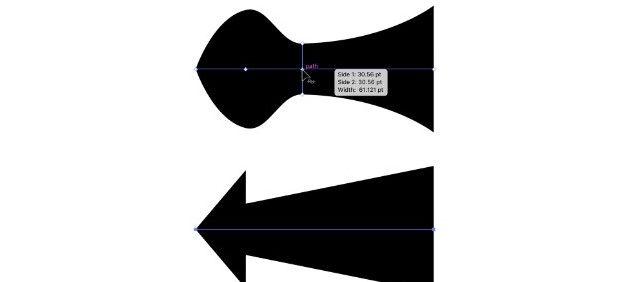
Using the Width tool, how could you make the stroke on the top path match the bottom one?
Double-click the selected width point and set the Total Width value to 0. Using the Width Tool in Illustrator
Delete the selected width point.
Drag the selected width point left until it snaps to the same position as the adjacent width point.
Press and hold the Option (Mac) or Alt (Windows) key, and drag the selected width point to the left.